Steps guide of v2.33 KESS V2 master K-suite Hardware and Software
V2.33 Kess v2 master is latest kess k-suite car programming unit software. Kess v2 master V2.32 K-suite brings several new protocols for Car, Bike, Truck, Tractor and Boat. Today obd2coding.com will share you how to get started with your KESS car programming unit, and how to install k-suite master software...
Kess V2 Master China Kess v2 ecu programmer OBD2 ChipTuning kess v2 K-suite unlimited tokens
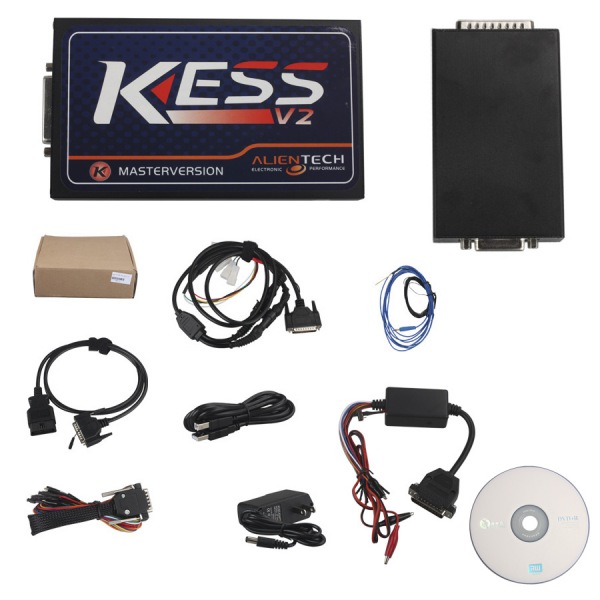
K-suite V2.32 software download Free:
https://mega.nz/#!ghokEYrL!AcM8GE-VV2hBPEr0Zrl8QkSzSQJgN6XLp-rwv01E4LE
Tips: Most Important RULE is NEVER be connected to internet before launching KESS and during use of KESS software. If online software / firmware update is performed, it will break the KESS device and void warranty.


Note: These 2 screenshots are to remind you to NOT update KESS from internet.
When you get KESS, double click on file "KESSV2 VIDEO" on the disc. It will explain how to install KESS software. Here is step by step Process to getting started is:
1. Do not connect KESS unit to computer yet.
2. Make sure internet/WIFI is turned OFF.
3. From disc, install software: Setup 2.12
4. When install is done, close KESS software.
5. Now connect KESS unit to PC via USB. Let drivers auto install.
6. While internet is OFF, launch KESS.
7. That's it.
If you wish to see how to get KESS to download/upload car to and from the car, then click here to download this video and watch from the half way point.
Kess V2 install instruction video download link:
